What a Private AI Deployment Actually Looks Like
No buzzwords. No architecture diagrams. Here's a plain-English walkthrough of what we physically put in your office, what software runs on it, and what your team sees when they use it.
Most companies selling AI talk about it in abstractions. "Leverage AI to transform your workflow." "Harness the power of machine learning." None of that tells you what actually shows up in your office.
Here's a concrete, step-by-step walkthrough of what a private AI deployment looks like - from the hardware on the shelf to what your team sees on their screen.
The hardware
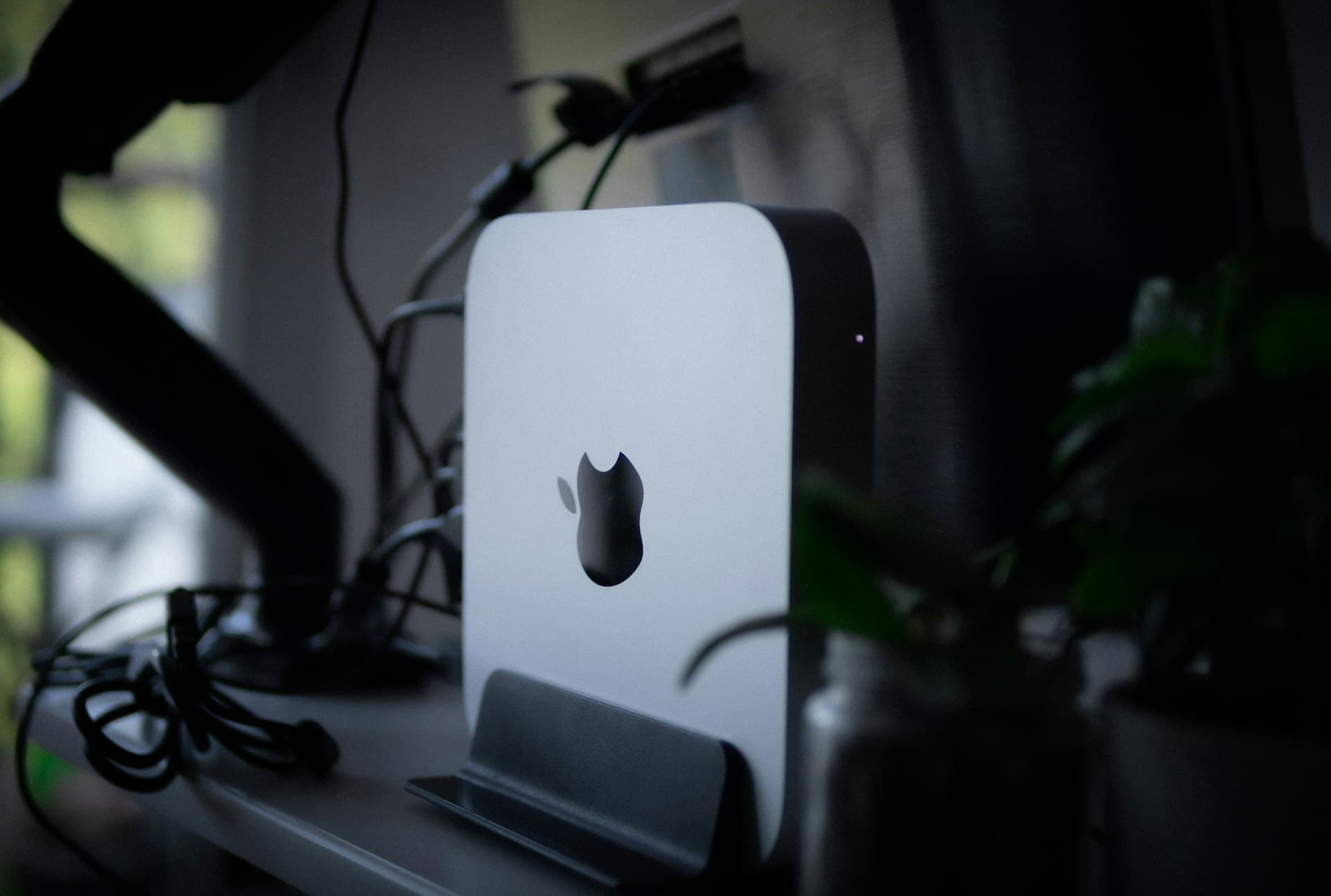
We deploy a Mac Mini M4 Pro with 48GB of unified memory. It's a small silver box - 5 inches square, about 1.4 inches tall. It sits on a shelf in your server room, IT closet, or anywhere with power and an ethernet connection.
Why a Mac Mini:
- Apple Silicon is uniquely good at running AI models. The unified memory architecture means the GPU and CPU share the same memory pool. A 48GB Mac Mini can run AI models that would require a $5,000+ dedicated GPU on other hardware.
- It's silent. No fans spinning up during inference. It sits in your office without anyone noticing it.
- Low power draw. About 25 watts under load. Less than a light bulb.
- Reliable. macOS is stable, secure by default, and doesn't require the babysitting that a Linux GPU server does.
The Mac Mini connects to your office network via ethernet. It gets a static IP on your local network. It is not exposed to the internet.
The software stack
Ollama
An open-source tool that manages AI model installation and serving. Think of it as the engine room - it downloads, configures, and runs the AI models on the local hardware. Your team never interacts with Ollama directly.
AI models
We install and configure the specific models best suited for your use cases. Common choices:
- DeepSeek R1 (32B or 70B): Strong reasoning and analysis. Good for contract review, document analysis, and complex summarization.
- Llama 3.1 (8B or 70B): Meta's flagship open model. Versatile, well-tested, good for general tasks.
- Mistral (7B or 22B): Fast inference, strong at structured tasks like data extraction and classification.
The specific model selection depends on your use cases. We tune and test during the build phase to find the right balance of quality and speed for your workload.
Docker containers
The application layer runs in Docker containers - isolated environments that keep the AI system separate from anything else on the machine. This provides security isolation, makes updates clean, and ensures the system can be backed up and restored predictably.
Custom web portal
This is what your team actually sees. A web application accessible from any browser on your office network. The interface is straightforward: a text input, a response area, the ability to upload documents, and specialized tools for your specific workflows (contract review, intake processing, document drafting, etc.).
The portal handles authentication (who can access what), conversation history, document management, and the routing layer that decides what stays local vs. what goes to cloud AI.
Security hardening
- Firewall rules restricting access to local network only
- Docker sandboxing isolating the AI system from the host OS
- Audit logging of every interaction (who asked what, when, what documents were processed)
- Encrypted storage for processed documents and conversation history
- No inbound internet access to the AI system
What your team experiences
Day one
After deployment, we run a training session with your team. Typically 60-90 minutes. We walk through:
- How to access the portal (bookmark a URL on your office network)
- What each tool does (contract review, document drafting, general questions, etc.)
- What's appropriate to process locally vs. what routes to cloud AI
- How the system handles their specific workflows
Daily usage
Your team opens a browser, navigates to the portal, and starts working. The experience is similar to ChatGPT:
- Type a question, get an answer
- Upload a document, get an analysis
- Select a workflow (e.g., "Review Contract"), provide the inputs, get the output
The difference is invisible to them: their data never left the building.
What the routing looks like in practice
A staff member asks the system to review a client contract. The system recognizes this involves privileged data and processes it on the local Mac Mini. Response time: 15-45 seconds depending on document length.
The same staff member then asks the system to research a general legal question about commercial lease terms. The system recognizes this is non-privileged public information and routes it to Claude or GPT-4 via API. Response time: 5-10 seconds, higher quality for open-ended research.
The staff member didn't choose where each request went. The routing layer handled it automatically.
The deployment timeline
| Phase | Duration | What happens |
|---|---|---|
| Audit | 3 business days | Discovery, architecture design, working prototype |
| Hardware procurement | 3-5 business days | Mac Mini ordered and configured |
| Build | 5-7 business days | Portal development, model tuning, integrations, security hardening |
| On-site deployment | 1 day | Hardware installed, system connected, smoke testing |
| Staff training | Half day | Team walkthrough and hands-on practice |
| Hypercare | 14 days | Dedicated support, prompt tuning, edge case fixes |
Total time from audit start to production: approximately 4-5 weeks.
What it costs
- AI Operations Audit: $3,500 (credited toward build)
- Build and deployment: Starting at $18,000 for the foundation platform, plus $5,000 per additional module. AI Receptionist $7,500.
- Managed services: $2,997/month (model updates, prompt tuning, monitoring, monthly reporting)
- Hardware: ~$2,000 - $3,000 for the Mac Mini (you own it)
What happens after deployment
The system isn't static. Every month:
- Model updates: We evaluate new model releases and upgrade when there's a meaningful quality improvement.
- Prompt tuning: Based on real usage patterns, we refine prompts to improve output quality for your specific workflows.
- New capabilities: Most clients add a second module within 60 days once they see what the first one does.
- Performance reporting: Monthly report to leadership showing usage volume, time savings, and system health.
The system gets smarter and more useful every month. That's the point of managed services - you're not buying a tool that depreciates. You're deploying infrastructure that appreciates.
Is this for you?
If your organization handles data that's regulated, privileged, or competitively sensitive - and you want your team to have AI capabilities without the compliance risk - this is the infrastructure that makes it possible.
Book a 15-minute call and we'll walk through whether a private deployment makes sense for your situation.
Related reading:
Want to see what AI can do for your business?
Book a free 15-minute call. We'll tell you exactly what's automatable — and what isn't.
Schedule a 15-Minute Fit Call